Windows users gain control over which apps bypass VPN encryption
ProtonVPN and NordVPN have activated split tunneling in their Windows clients, allowing users to route specific programs outside the encrypted tunnel.
By Kevin Sanders ·
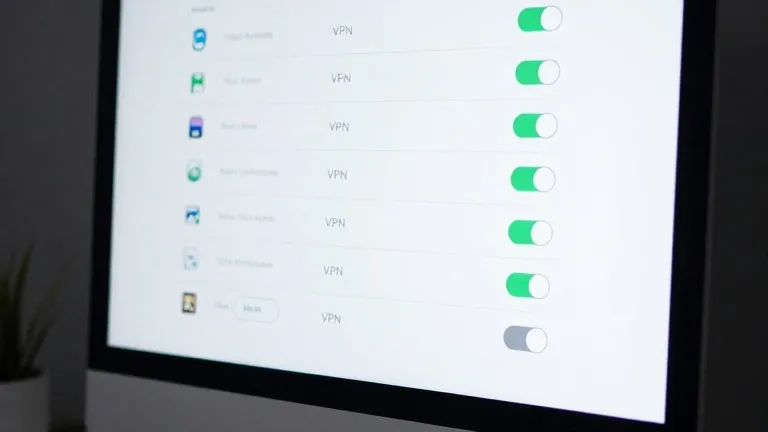
ProtonVPN and NordVPN have enabled split tunneling for Windows users, giving consumers direct control over which applications connect through the encrypted tunnel and which bypass it.
The feature addresses the speed trade-offs inherent in using a VPN. While virtual private networks mask a user's location and hide browsing activity from internet providers, the encryption process can slow down data transfer. By excluding specific programs, users can maintain high-speed connections for performance-sensitive tasks like online gaming or local media streaming while keeping other traffic protected.
In ProtonVPN for Windows, a split tunneling link is located on the right side of the main console, next to options for the kill switch and port forwarding. Once active, users can choose to include only selected apps in the VPN or exclude specific apps while routing the rest through the tunnel.
NordVPN implements the feature through the settings menu. Users must click the cog icon in the bottom left of the interface, select Split tunneling, and flip the toggle switch. This allows them to designate which applications receive VPN protection. Similar settings are available on mobile devices, though iPhones restrict users to excluding websites and IP addresses rather than specific apps.
Split tunneling is not a new concept in network security. It works by sending selected traffic around the encrypted bridge that typically handles all data. This prevents users from having to manually turn the VPN on and off. The most common consumer version is app-based, where a banking app might remain encrypted for security while a weather app runs directly to reflect the user's actual geographic location.
Less common methods include URL-based rules, which filter traffic by domain name, and route-based or policy-based tunneling, which rely on IP addresses and broader rule sets. The latter two are primarily used in enterprise environments for managing multiple users. For most individual users, configuring split tunneling is a one-time setup that requires little ongoing attention.
The activation of this feature in major Windows clients marks a shift toward more granular control in consumer VPN software. Previously, users often had to toggle the entire VPN on or off to adjust their privacy and speed settings. Now, the choice of which data streams to protect is determined by the user rather than the platform's default behavior.
Source: Wired